Write Code. Get Diagrams.
The unified Diagram-as-Code (DaC) platform. Build elegant, versionable, and highly precise system architectures using Mermaid, PlantUML, and Graphviz without leaving your keyboard.
What We Offers
Support for the Diagram-as-Code Engines You Love
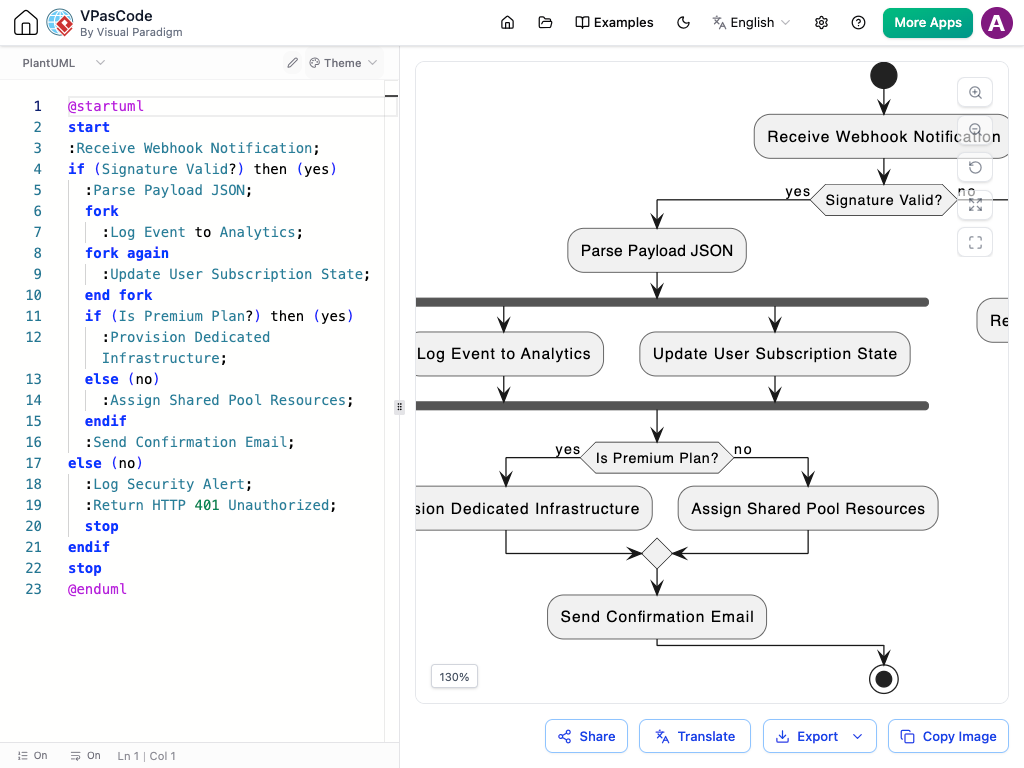
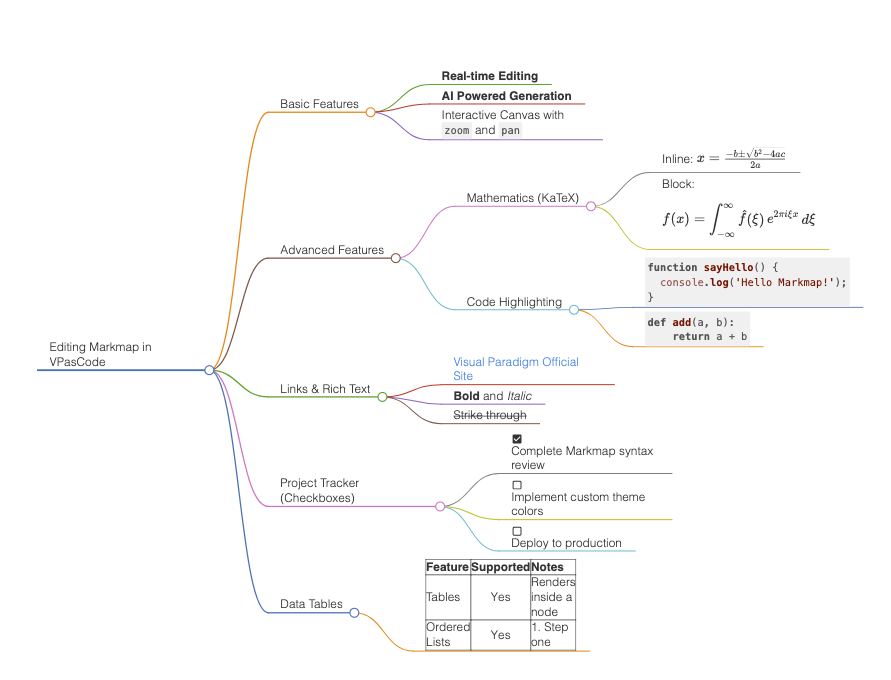
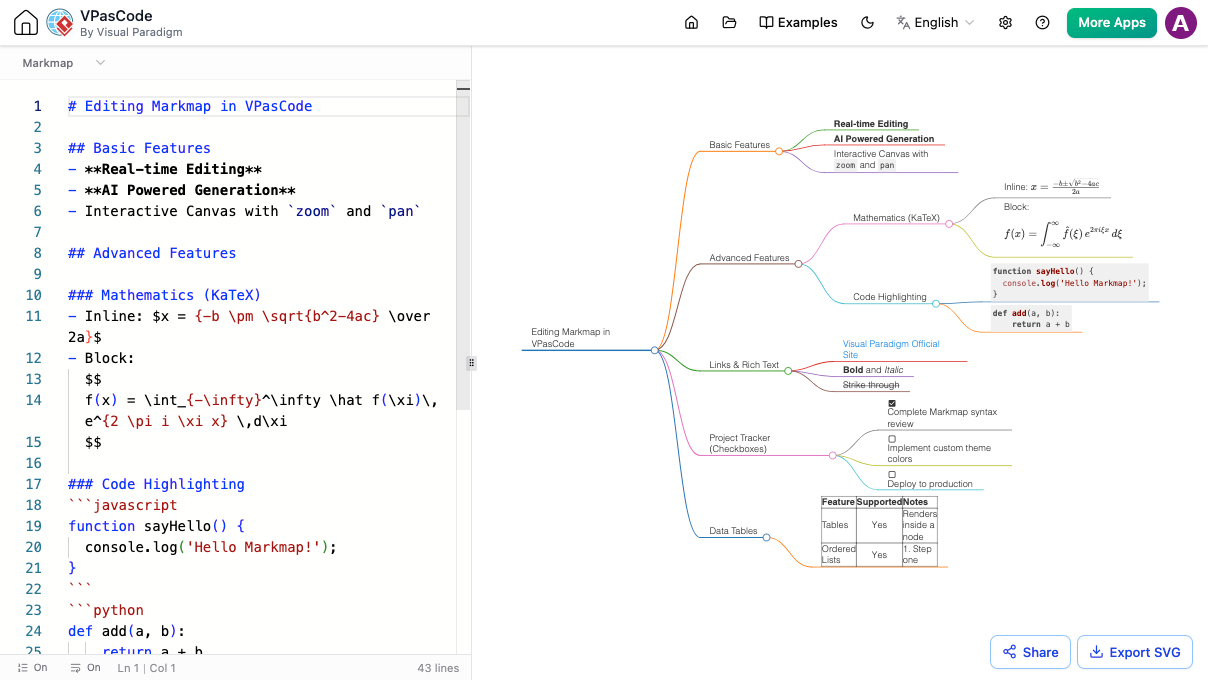
Markmap

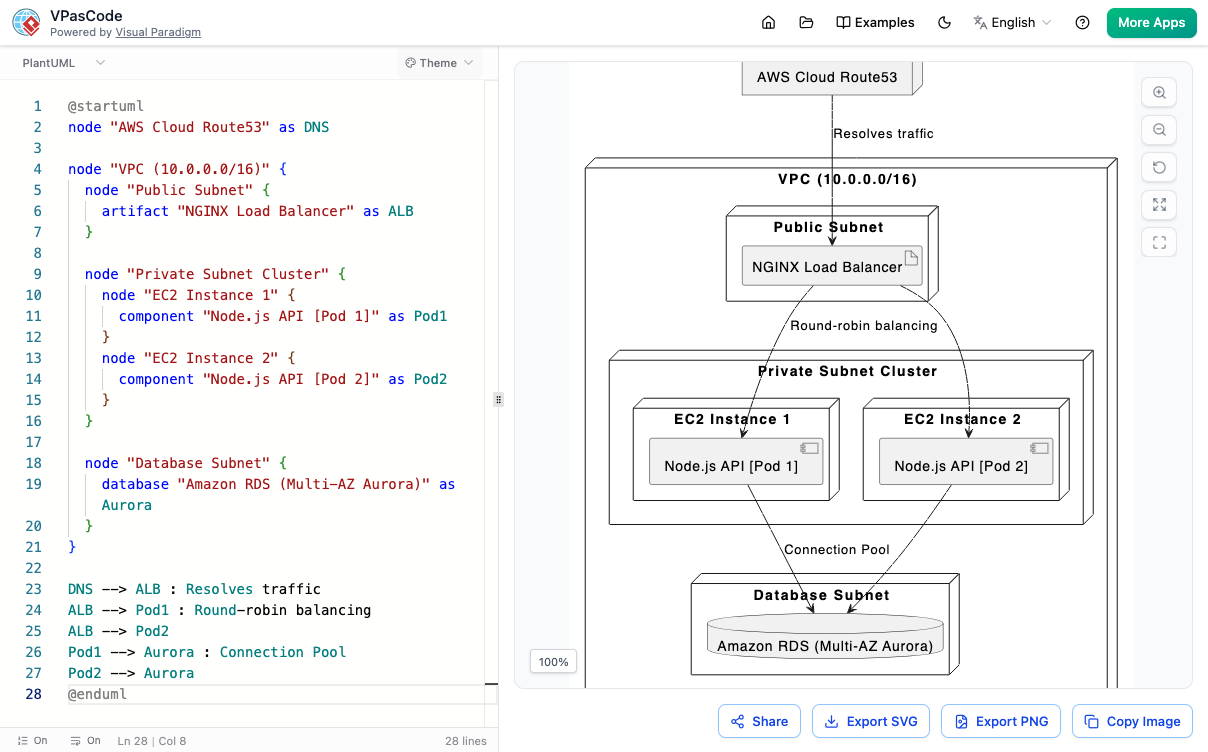
A screenshot of PlantUML, which turns text code into visual maps. On the left is the typed-out code, and on the right is the actual deployment diagram it created, showing how a website’s internet traffic flows safely from the web address down into the servers and the main database.
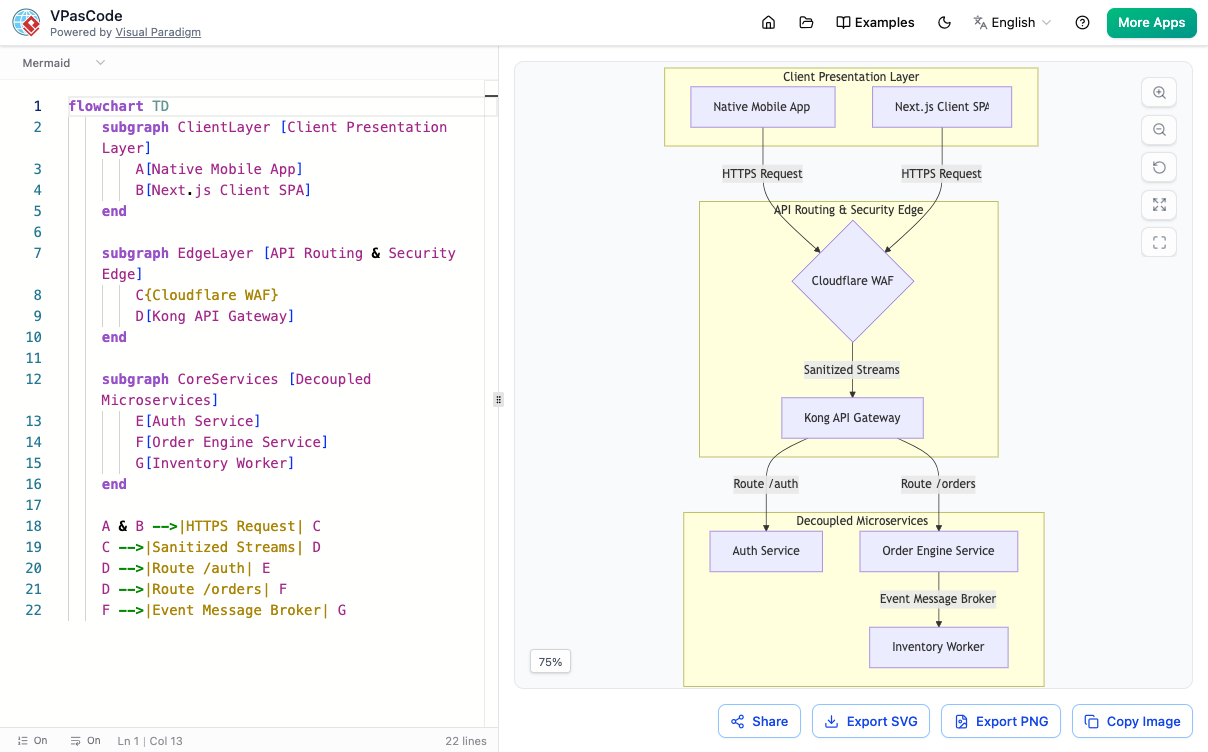
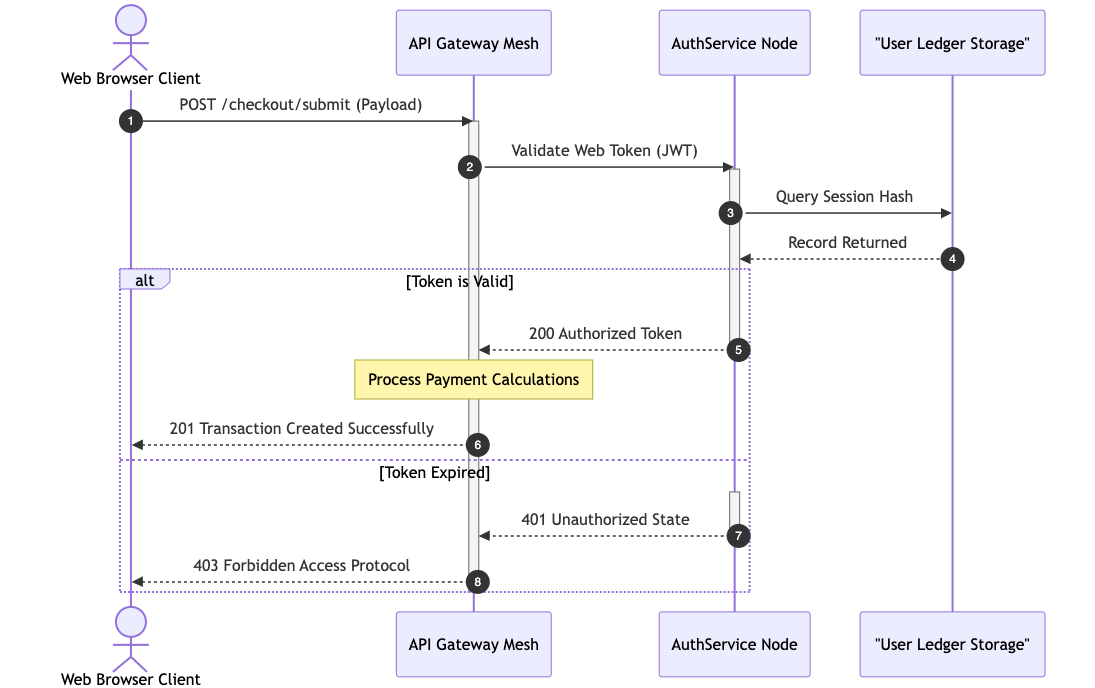
A screenshot of Mermaid, which builds charts out of text code. On the left is the typed code, and on the right is the flowchart it made. It shows how user requests from a mobile app or website go through a security firewall, pass through a digital traffic controller, and get sent to different internal services like login or ordering systems.
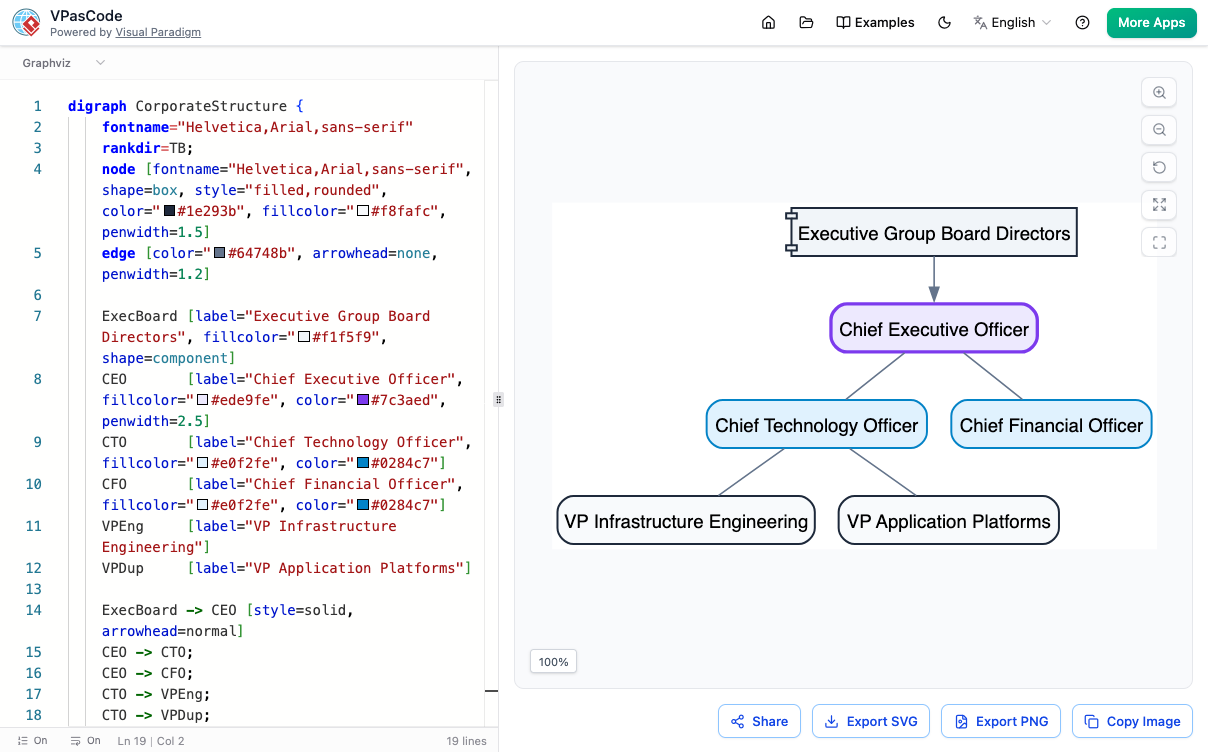
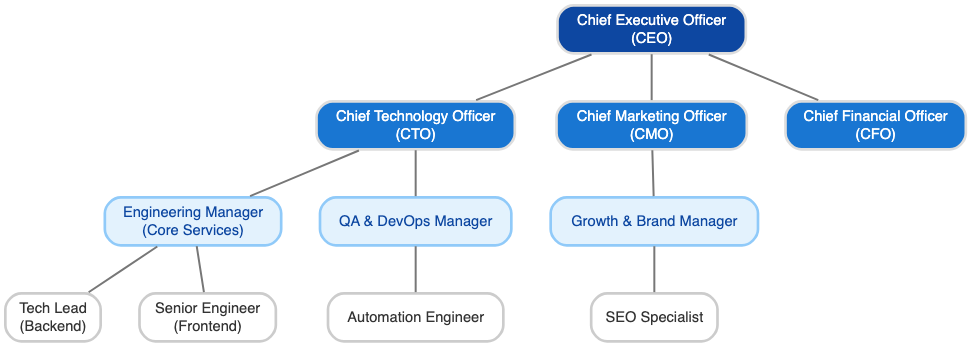
A screenshot of Graphviz, which builds diagrams directly from text code. On the left is the typed code, and on the right is a corporate organization chart it generated, showing the company structure branching down from the Board of Directors and CEO to the technology and financial executives.

AI-Powered Productivity Features
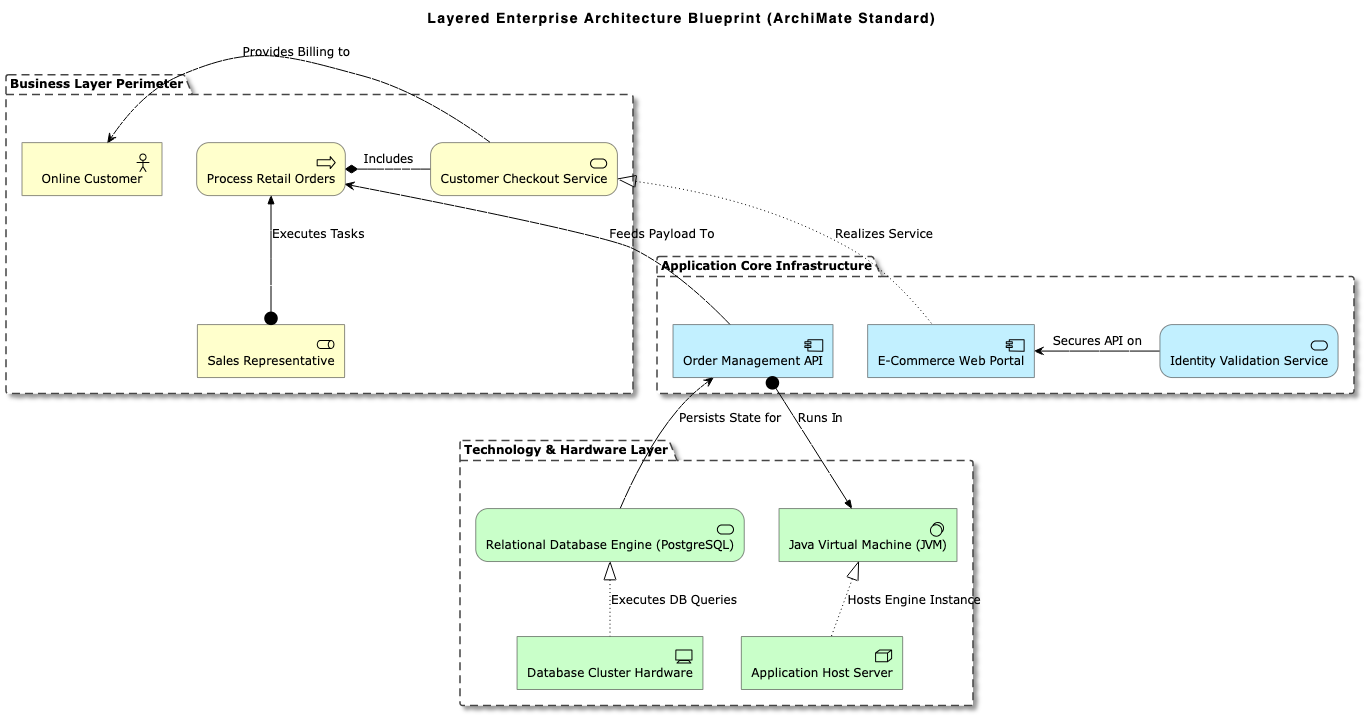
AI Diagram Generation
Create complete architecture maps and visual models from scratch in seconds. Simply type a plain-language prompt, and our built-in AI diagram generator instantly builds the code for PlantUML, Mermaid, and more.
Modify Existing Code with AI
Update and refine your visuals effortlessly without manual editing. Use our AI diagram modifier to simplify structures, add new steps, or tweak existing code using simple text instructions.
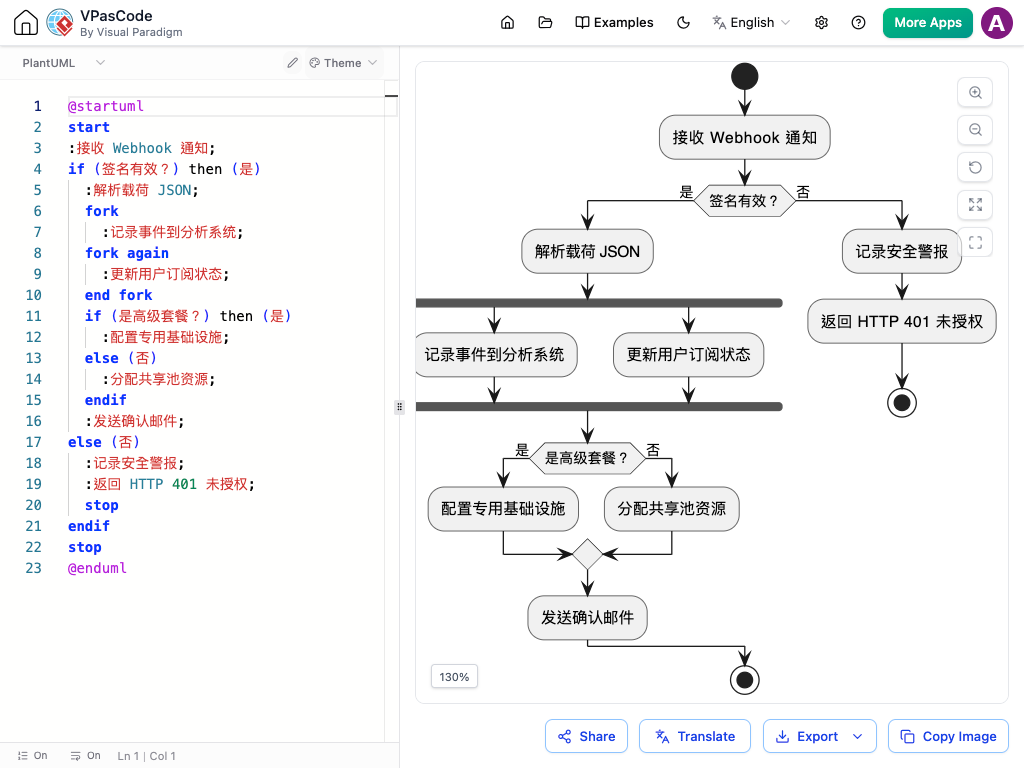
Instant Diagram Translation
Translating architectural diagrams manually is tedious and risks breaking your code. VPasCode introduces Native AI Diagram Translation. In just two clicks, you can instantly translate titles, labels, variables, and comments across PlantUML, Mermaid, or Graphviz. Your structural syntax stays perfectly intact while your text scales globally.


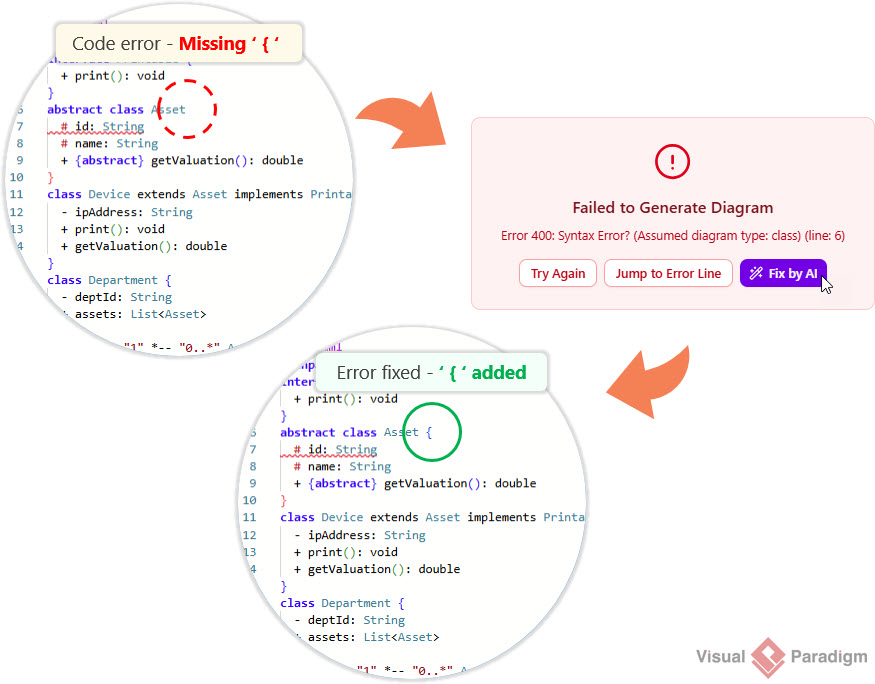
Instant Syntax Error Fixing
A single typo or missing semicolon shouldn’t stall your design momentum. If your PlantUML, Mermaid, or Graphviz script fails to render, VPasCode catches it in real-time by displaying a warning block detailing the exact error type and line number. Instead of manually searching your code, simply click “Fix by AI” to instantly repair the syntax error and re-render your diagram on the fly.
Why VPasCode is the Best Diagram-as-Code Tool for Developers
Diagrams from Text
Convert raw logic directly into visuals. No manual dragging or dropping required.

Easily Shareable
Collaborative URLs for instant feedback and team alignment.

No Setup Required
A lightweight, web-based diagram-as-code tool that runs directly in your browser with no installation needed.
From Code to Clarity
Experience real-time rendering. As you type your logic, your visualization comes to life with pixel-perfect precision.
Vector Exports
Export as SVG or high-res PDF, or PNG for documentation and slides.
Enterprise Provenance
Backed by Visual Paradigm
Backed by over 20 years of software modeling expertise, VPasCode delivers a enterprise-ready diagram-as-code tool designed for speed, precision, and seamless collaboration.
20+
Years of Modeling Heritage
Free
To Use & Export
FAQ
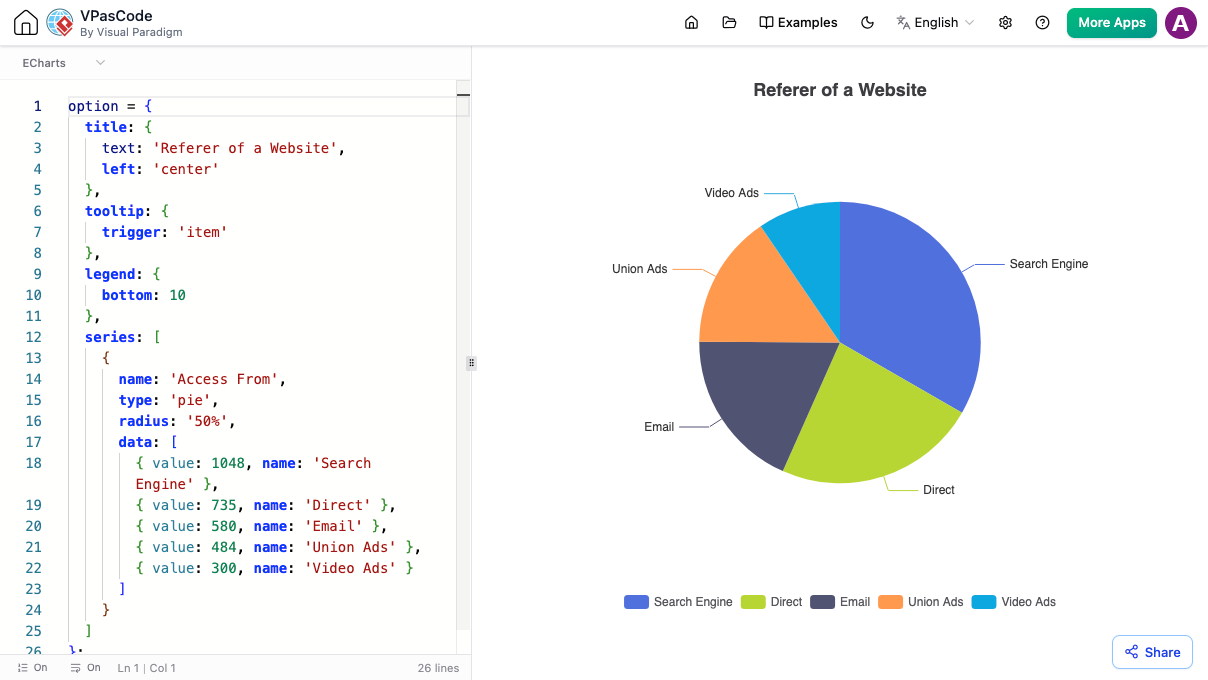
Visual Paradigm VPasCode is a lightweight, web-based code-to-diagram workspace. It allows developers, architects, and technical writers to write text-based diagram scripts—such as Mermaid, PlantUML, Graphviz (DOT), and ECharts—and see them rendered into interactive visual diagrams in real time.
Yes! All core text-to-diagram editing features in VPasCode are completely free. You can write diagram code, view real-time rendered previews, and export your diagrams to SVG, PNG, or PDF format without any cost. Advanced AI-assisted features are available in premium editions.
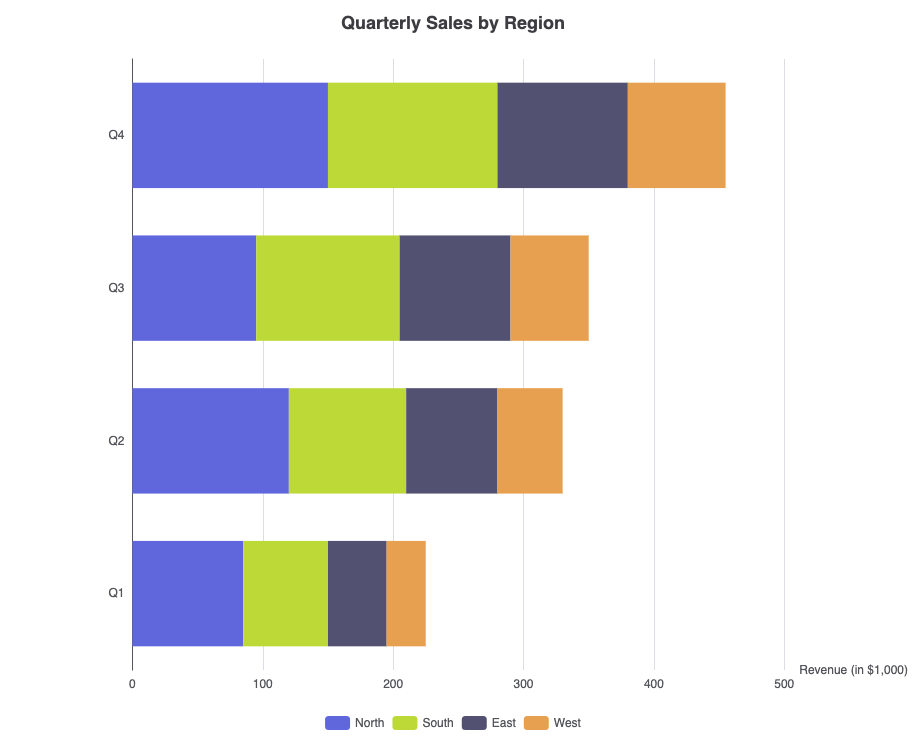
VPasCode provides comprehensive support for popular open text-to-diagram tools, including Mermaid, PlantUML, Graphviz (DOT language), and ECharts. This allows you to create flowcharts, sequence diagrams, architecture maps, UML diagrams, network topologies, and interactive data charts all in one place.
Yes, VPasCode features built-in, native AI diagram generation.
VPasCode includes embedded AI capabilities directly within the application interface, allowing you to generate diagrams through natural language prompts—such as “Generate a microservice architecture diagram in PlantUML” or “Create a checkout flow in Mermaid”—and VPasCode instantly creates and renders the diagram code natively.
This embedded workflow eliminates the need to switch between multiple apps, letting you build and manage your diagrams seamlessly in one workspace.
Yes, VPasCode offers seamless integration with the Visual Paradigm AI Diagramming Chatbot.
You can generate and refine initial concepts using the standalone AI Diagramming Chatbot, and then open those diagrams directly inside VPasCode whenever you need to perform fine-grained code editing, styling adjustments, or translation on demand.
Unlike traditional drag-and-drop tools that require manual alignment, a code-based editor like VPasCode automatically handles diagram layout based on your text input.
You can export your finished diagrams as vector files (SVG) for loss-less scaling, high-resolution images (PNG), or standard documents (PDF). VPasCode also lets you generate shareable web links or copy images directly to your clipboard.
Yes. Your diagram scripts and rendered graphics are processed securely within your browser session, ensuring your software architecture, data structures, and internal workflow scripts remain confidential.
Create your own
Ready to build beautiful diagrams with code?
No credit card. No installation required. Write Mermaid, PlantUML, and Graphviz right from your dashboard.